01
Select your frames
In Library, select one RAW or DNG, or a whole shoot. Open the plug-in and set the lens factor and direction once for the batch.

Correctly proportioned, RAW-editable DNG files
without leaving your Lightroom catalog.
No card needed for the trial.
$14 through December 31, 2026, then $19.
Launch gift until then: Desqueeze for iPhone and iPad (normally $4.99).
We’ll email you a code when the app launches.
By downloading the trial or buying, you agree to the Terms of Sale & License. Purchases can be refunded within 14 days (Refund Policy). Prices include taxes.
Choose a photograph below. Switch between Squeezed and Desqueezed to see the correction on the same frame.

In Library, select one RAW or DNG, or a whole shoot. Open the plug-in and set the lens factor and direction once for the batch.
Name a new collection or use an existing one. Choose a color label for the corrected DNGs. In the folder view, you can stack each DNG under its original or keep the two separate.
Click Desqueeze. The plug-in creates your DNGs and applies your choices in the same pass. Choose to open the collection when the batch finishes, and your corrected frames are ready to review together.
Custom factor Enable the checkbox and enter your lens’s exact factor, from 1.01× to 3.00×.
Stack DNG below original photo in folder
Add to Lightroom collection:
Switch view to this collection when batch finishes
⌥H · Horizontal ⌥V · Vertical ⌥A · Settings
A new RAW-editable DNG is created beside each source and imported below it in a stack. The source file is never modified.
Download the full plug-in and try it for 14 days. No card required. When you’re ready to keep it, enter your license key in the same plug-in.
Requires Lightroom Classic 11 or later and macOS 12 or later.
One purchase covers up to two Macs. The launch price is $14 through December 31, 2026. The regular price is $19. Prices in US dollars, taxes included. At checkout, Paddle shows the exact price in your currency before you pay.
Launch gift: buy the Mac edition during the launch offer and we’ll email you a code for Desqueeze for iPhone and iPad when the app launches on the App Store.
Testing on Windows? Join the private beta ↓Your original RAW stays in place. You can continue developing the corrected DNG in Lightroom, including after the trial ends.
Enable Mac shortcuts in the Plug-in Manager and restart Lightroom Classic. Use ⌥ H for horizontal correction, ⌥ V for vertical and ⌥ A for the settings.
Extract the ZIP, move the complete .lrplugin folder somewhere permanent, then choose File → Plug-in Manager → Add in Lightroom Classic and select that folder.
The plug-in follows Lightroom’s language in English, French, German and Simplified Chinese.
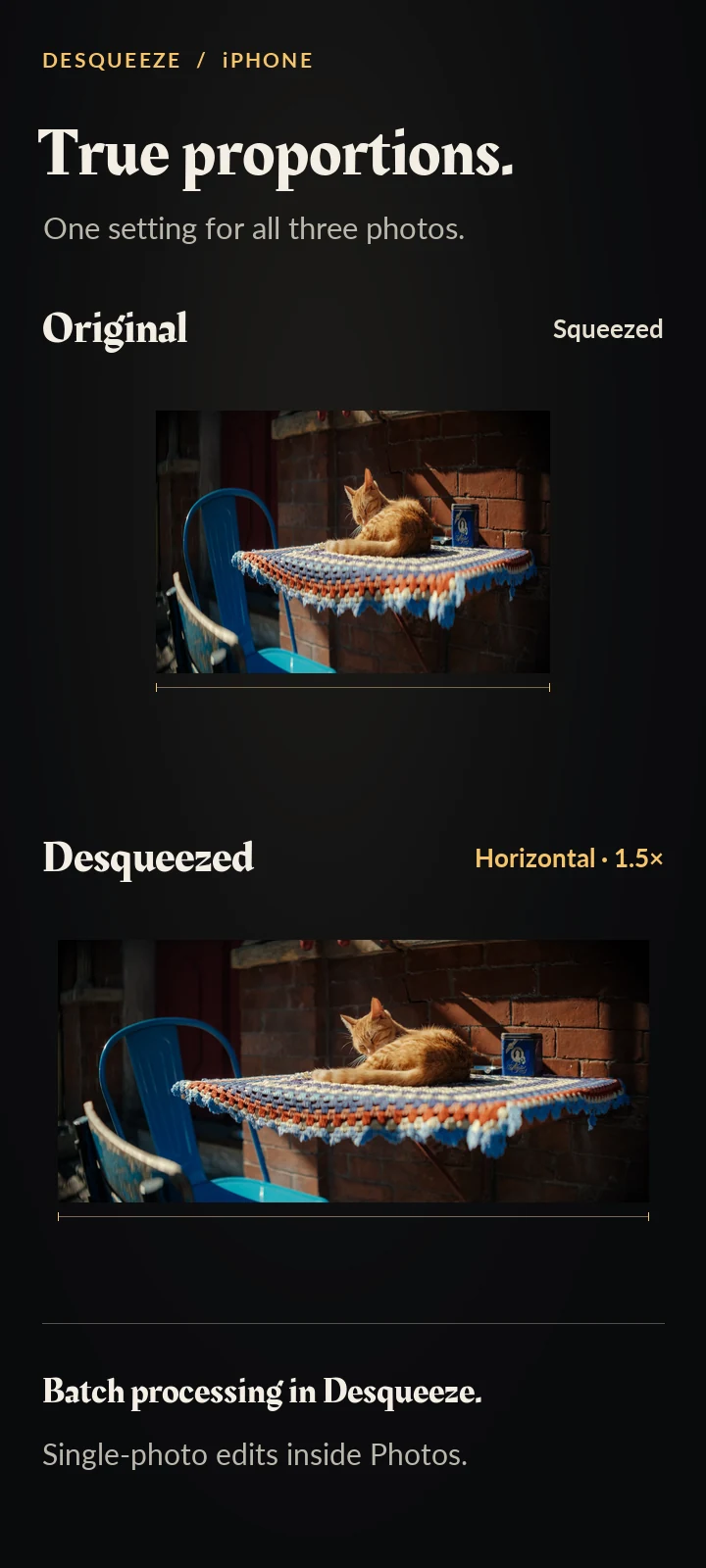
On the train home from a shoot? Transfer your camera’s JPEGs to your iPhone, open a frame in Photos and correct its proportions with the Desqueeze extension. It’s ready to share before you get back to your computer.
Choose a lens preset or enter a custom factor, then desqueeze horizontally or vertically. In Photos, you can revert the edit to the original at any time. For a whole sequence, open the Desqueeze app and process up to 50 photos together.
Launch gift through December 31, 2026 (Swiss time). Buy the Mac plug-in by then, and when Desqueeze launches on the App Store, we’ll email you a code to unlock the full app for free (normally $4.99). The price covers the Mac plug-in; the app is a gift. Gift details.
Apply to test the Windows edition in Lightroom Classic with your own camera and anamorphic lens.